BoltGrid
Choosing an AI training server manufacturer is not simply a matter of comparing GPU counts. The right partner must deliver balanced systems, clear technical guidance, dependable support, and evidence that its designs work under real workloads. Small details matter: GPU interconnects, memory capacity, rack power, cooling, and replacement-part availability can shape a project’s daily performance.
The Stanford Institute for Human-Centered AI’s 2024 AI Index Report found that training compute for notable AI models doubled roughly every five months. That pace makes scalability and system efficiency important purchasing questions. AMD Chair and CEO Lisa Su has described AI as “one of the most important technologies of our lifetime.” Her remark captures the opportunity, but it does not answer a practical question: can a supplier help your team operate the hardware reliably?
That is where careful evaluation begins. Ask manufacturers for workload-specific benchmarks, configuration details, warranty terms, and realistic delivery estimates. Check whether their engineers can explain trade-offs without hiding behind headline specifications. Impressive numbers can mislead. So can polished demos. A benchmark may not reflect your models, data pipeline, or facility constraints.
The seven tips ahead offer a practical way to assess suppliers, compare proposals, and reduce avoidable surprises. They are not a substitute for testing. One uncomfortable truth: even a well-chosen system can disappoint when its assumptions go unchecked.
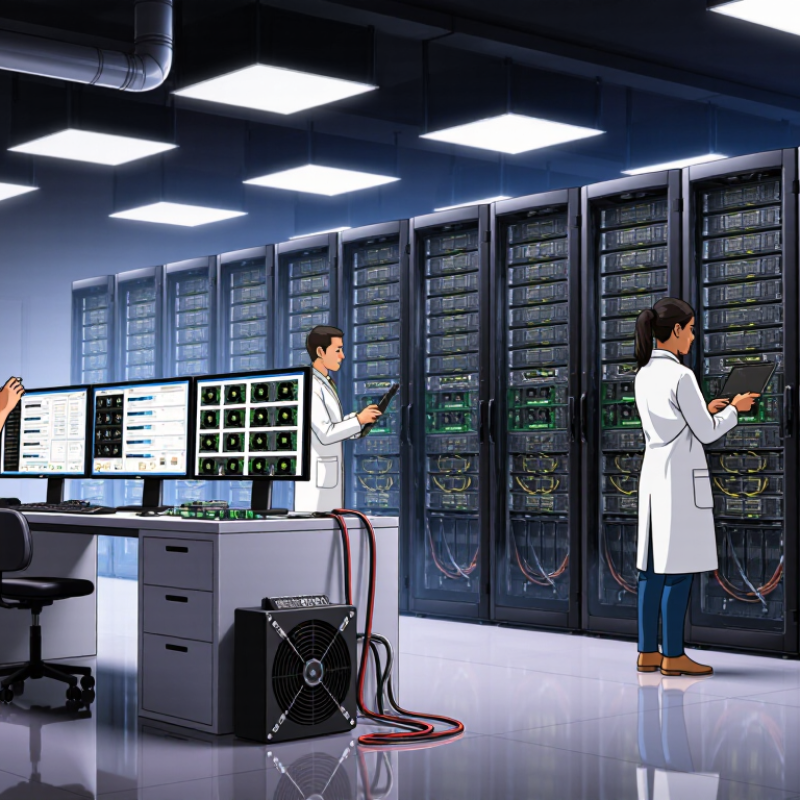
Before comparing manufacturers, define the training work the server must handle. Record model size, dataset volume, input dimensions, sequence length, and expected training frequency. A vision model processing high-resolution images may need different memory and data throughput than a language model handling long sequences. Be specific. “Large model” is not a useful specification.
Estimate accelerator memory, system memory, storage capacity, and network bandwidth from those workloads. Include the number of simultaneous jobs and the precision you plan to use, such as mixed-precision training. Check how quickly data can move from storage to accelerators; fast processors can sit idle when input pipelines lag. That matters. For multi-server training, ask how the system supports high-speed communication between nodes. Also confirm rack space, power delivery, and cooling capacity before finalizing a configuration.
Use representative benchmarks, not peak-performance figures alone. Test a small, realistic training run with your own data pipeline when possible, and compare throughput, memory use, and stability. Test it. Leave room for dataset growth, but avoid paying for capacity without a clear use case. Estimates drift, and mine might too: workload assumptions often change after the first serious experiment. Give manufacturers a written requirements sheet, including current needs and likely near-term changes, so their proposals can be assessed on the same basis.
Choosing an AI training server manufacturer starts with evidence of hardware expertise, not polished product language. Ask its engineers to explain how GPU interconnects, memory capacity, storage throughput, and cooling perform under sustained training loads. Request a tested bill of materials and measurements from a workload resembling yours. Details matter.
Stanford’s 2024 AI Index reported that compute used to train notable AI models doubled roughly every five months. That pace makes thermal design and power efficiency practical concerns, not minor specifications. Ask manufacturers for performance-per-watt data, operating temperatures, and evidence of throttling during long runs. Compare MLPerf Training results only when model, precision, and system configuration match. Otherwise, headline times can mislead.
Arrange a live demonstration. Watch rack inlet temperatures, GPU utilization, and job recovery after a node restart. Ask to review firmware release notes, spare-part lead times, and the escalation process for hardware faults. A benchmark is still incomplete evidence; it rarely reflects your data pipeline or room airflow. That gap deserves attention.
| Expertise Area | What to Assess | Evidence to Request | Strong Capability Looks Like |
|---|---|---|---|
| 1. Accelerator configuration | Ability to design systems around accelerator count, memory capacity, power limits, and workload requirements. | Example system configurations, compatibility documentation, and an explanation of how accelerator choices affect training workloads. | Recommendations are tied to model size, precision, memory needs, and expected utilization—not simply the maximum number of accelerators. |
| 2. High-speed interconnects | Understanding of accelerator-to-accelerator links and the network fabric used for multi-node training. | Topology diagrams, supported interface specifications, and validated multi-node communication results. | The manufacturer explains bandwidth, topology, and possible communication bottlenecks for the proposed cluster size. |
| 3. Power and thermal engineering | Ability to manage sustained accelerator loads, power delivery, airflow, and rack-level heat output. | Power budgets, thermal design details, operating-environment requirements, and procedures for monitoring temperature and power. | Design limits and facility requirements are clearly documented, including cooling assumptions and expected power consumption. |
| 4. Memory and storage architecture | Knowledge of system memory, local storage, data-loading requirements, and checkpoint workloads. | Memory and storage specifications, storage layout, and guidance on dataset staging and checkpoint capacity. | The proposed configuration accounts for dataset size, read/write patterns, and recovery needs without presenting storage capacity alone as a performance guarantee. |
| 5. Software and platform compatibility | Experience validating operating systems, drivers, accelerator software, containers, and common AI frameworks. | Supported software versions, configuration guides, update procedures, and a record of system-level validation. | Compatibility is documented and maintained, with clear responsibility for firmware, driver, and system updates. |
| 6. Testing and performance validation | Whether the manufacturer tests complete systems under representative AI workloads rather than relying only on component specifications. | Test methodology, workload and software details, system configuration, and results with their measurement conditions. | Performance claims are reproducible, configuration-specific, and accompanied by relevant conditions and limitations. |
| 7. Reliability and lifecycle support | Ability to diagnose hardware faults, provide replacement parts, and support systems throughout their operating life. | Warranty terms, service coverage, escalation process, spare-parts policy, and procedures for firmware and component lifecycle changes. | Support scope and response commitments are written, and the team can explain fault isolation for accelerators, memory, storage, power, and cooling. |
Use these criteria to compare documented capabilities and request workload-specific validation before making a purchase.
Treat the server as a balanced system, not a GPU shopping list. Start with model size, sequence length, batch size, and training approach. Compare GPU memory capacity and bandwidth, then check whether the system can expand without awkward compromises. Too little memory can force smaller batches or model sharding. Fast GPUs cannot fix that. Ask for measured results on a workload close to yours, rather than relying only on peak-performance figures.
Networking determines how well multiple servers work together. Compare bandwidth, latency, port speed, and support for efficient collective communication. A network bottleneck can leave expensive accelerators waiting. Also check memory capacity and expansion options: some workloads need large datasets in memory, while others benefit more from faster storage access. A spec-sheet comparison is imperfect; benchmarks rarely mirror every production workload.
Cooling deserves equal attention. Compare airflow design, power limits, room capacity, and options such as direct liquid cooling. The IEA’s Electricity 2024 report estimates data-centre electricity use could rise from about 460 TWh in 2022 to 620–1,050 TWh by 2026. That makes efficiency and heat removal practical purchasing concerns, not afterthoughts. ASHRAE TC 9.9’s 2021 Thermal Guidelines recommends 18–27°C inlet temperatures for many air-cooled equipment classes. Confirm conditions at the server inlet, not just the room thermostat. Ask manufacturers for sustained-load noise, power, and thermal test data. Real workloads can be messy. A short test still beats a polished promise.
A capable AI training server manufacturer should show how quality is built and verified, not just display certificates. Ask for the quality system’s scope, recent audit results, and traceability records linking components to finished units. Request a sample factory acceptance test report. It should identify the server configuration, test conditions, measured results, and pass criteria.
For high-load systems, look for sustained compute tests, thermal checks, and inspection of power connections. Paper is not proof.
The Uptime Institute’s 2024 Annual Outage Analysis found that 54% of surveyed operators said their latest significant outage cost more than US$100,000. Sixteen percent reported costs above US$1 million. These figures concern outages, not server factory defects, but they show why weak verification can become costly.
Check that safety and electromagnetic compatibility documentation applies to the exact model and configuration; standards such as IEC 62368-1 may be relevant. Confirm test-equipment calibration dates and ask how component substitutions are approved. Small details matter.
A polished certificate folder can still leave gaps. Request evidence from a recent production unit, then compare it with the unit you receive. Manufacturers may not provide every internal record, so agree on acceptable evidence before ordering.
An AI training server is a long-term operating commitment, not just a hardware purchase. Evaluate support by asking who handles a failed accelerator at 2 a.m., how quickly replacement parts arrive, and whether engineers can diagnose network or thermal faults remotely. Ask for evidence. Request service-level details, escalation paths, and references from teams running similar workloads. A polished proposal matters less than a clear answer about what happens when a job stops halfway through a training run.
Scalability should match your actual roadmap. Check whether the system can add compute nodes without forcing a complete network redesign, and confirm that your data center can supply the required power and cooling. Then calculate total cost of ownership: include electricity, rack space, maintenance, software integration, staffing, and downtime—not only the initial quote. Compare these costs over a realistic operating period, such as three years, and test the configuration with a representative workload before committing. That takes time. Estimates can still miss costs, especially when utilization changes or upgrades arrive earlier than expected. Record those assumptions, and revisit them as your team’s needs become clearer.
Ask for a tested bill of materials and results from workloads similar to yours. Request thermal, power, and performance data under sustained loads. Details matter.
Compare results only when the model, precision, and system configuration match. Ask how the test differs from your data pipeline and room airflow. A benchmark can still flatter.
Check GPU utilization, rack inlet temperatures, and recovery after a node restart. Also ask about firmware updates, spare-part lead times, and fault escalation.
Match memory capacity and bandwidth to your model size, sequence length, and batch size. Check expansion options and storage access needs. Too little memory may force smaller batches or model sharding.
Slow networking can leave accelerators waiting during multi-server training. Compare bandwidth, latency, and collective communication support. Check airflow, power limits, room capacity, and cooling options.
Ask for sustained-load temperature, noise, and power measurements. Confirm temperatures at the server inlet, not only at the room thermostat. Real workloads get messy.
Request a factory acceptance test report with configuration, conditions, measurements, and pass criteria. Check traceability records, calibration dates, and how component substitutions are approved. Paper is not proof.
Confirm safety and electromagnetic compatibility documents apply to the exact model and configuration. Compare evidence from a recent production unit with your delivered server. Some records may remain unavailable, so agree on acceptable proof before ordering.
Choosing the right ai training server manufacturer starts with a clear understanding of your workloads, including model size, training frequency, and expected data throughput. These needs help define essential server requirements, such as GPU capacity, memory, storage, networking, and cooling. Assess each manufacturer’s experience with AI hardware and its ability to configure systems that balance performance, reliability, and future expansion.
Before making a decision, review manufacturing quality controls, testing procedures, and relevant compliance practices. Ask about technical support, warranty coverage, delivery timelines, and options for scaling as your training demands grow. Finally, compare the total cost of ownership—not just the purchase price, but also power use, cooling, maintenance, and upgrade costs. A careful evaluation of these factors can help you choose a dependable solution that fits both your technical goals and budget.